Security Score
One deterministic number for your device — with a short, ranked list of fixes.
Open Security Score
NexGuard isn’t on Google Play yet. Join early access and we’ll send the install link the day it opens.


All-in-One, and here is the whole of it
NexGuard isn’t a pile of unrelated apps — it’s 19 security tools and the 77 sub-features inside them, built to work as one system. This page is the whole map, in depth.
19 tools · 77 sub-features · 6 categories · Android-first
One system, 6 jobs
Every NexGuard tool does one of 6 jobs your phone needs handled. Start with the job you care about — then open any tool to go deep.
Understand where you stand, then fix the things that move the number most.
Turn scattered Android permissions into one readable view you can act on.
Everything else sits behind your login — so the login gets real protection.
Encryption that happens on your device, so only you can ever open it.
Plain-language help, grounded in a verdict the assistant never invents.
See your own screen-time honestly and set your own limits — on your device and on your terms. The app-usage list is free; the rest is Pro & Family.
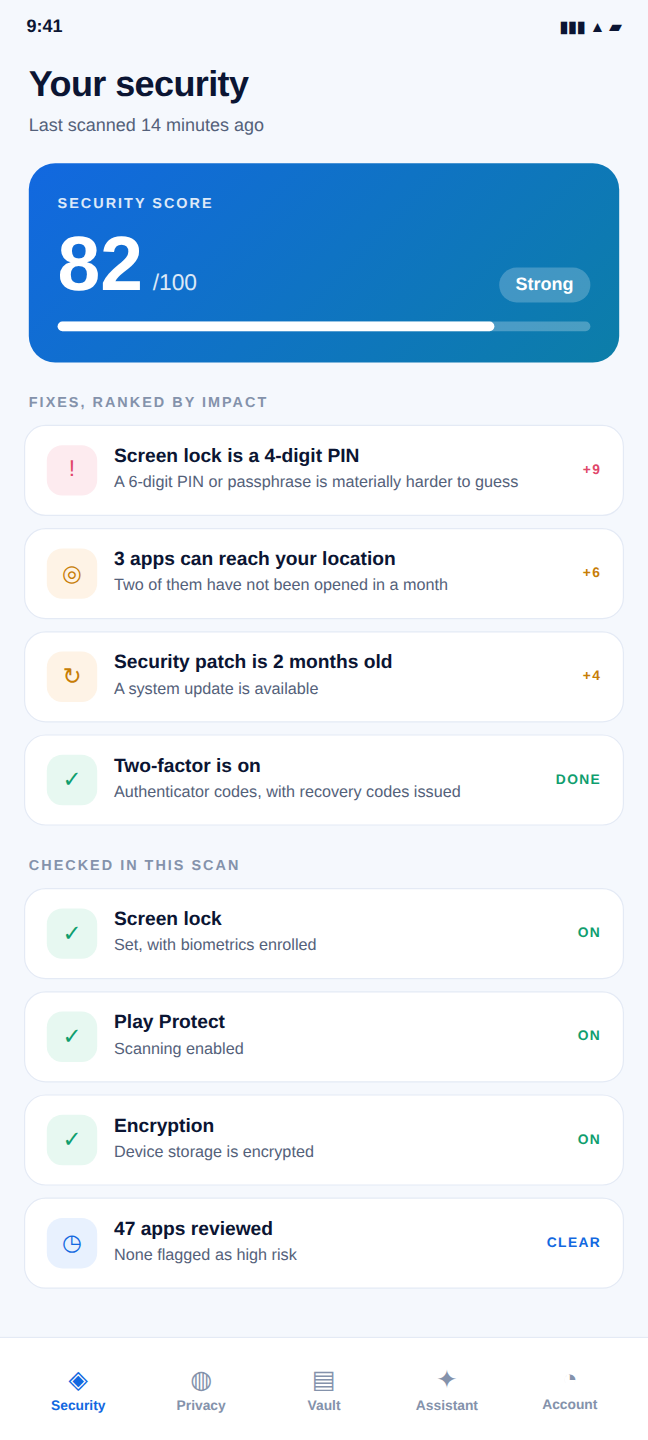
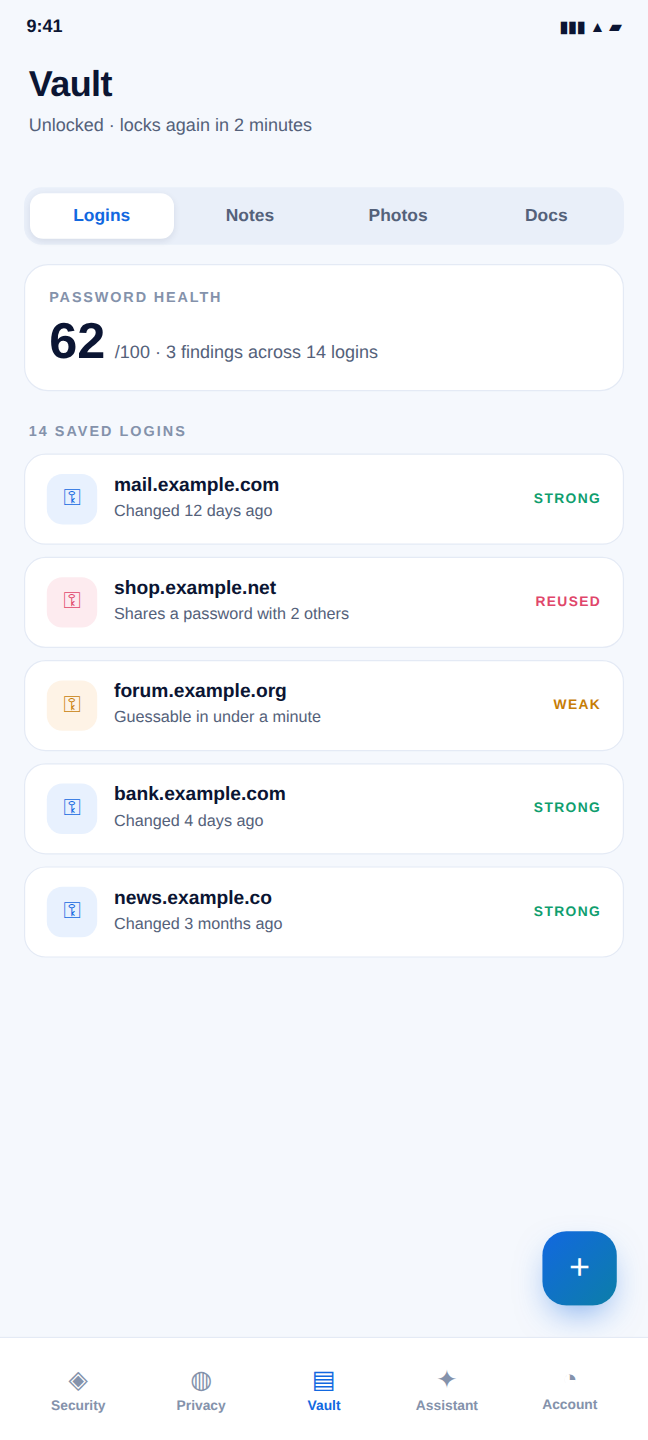
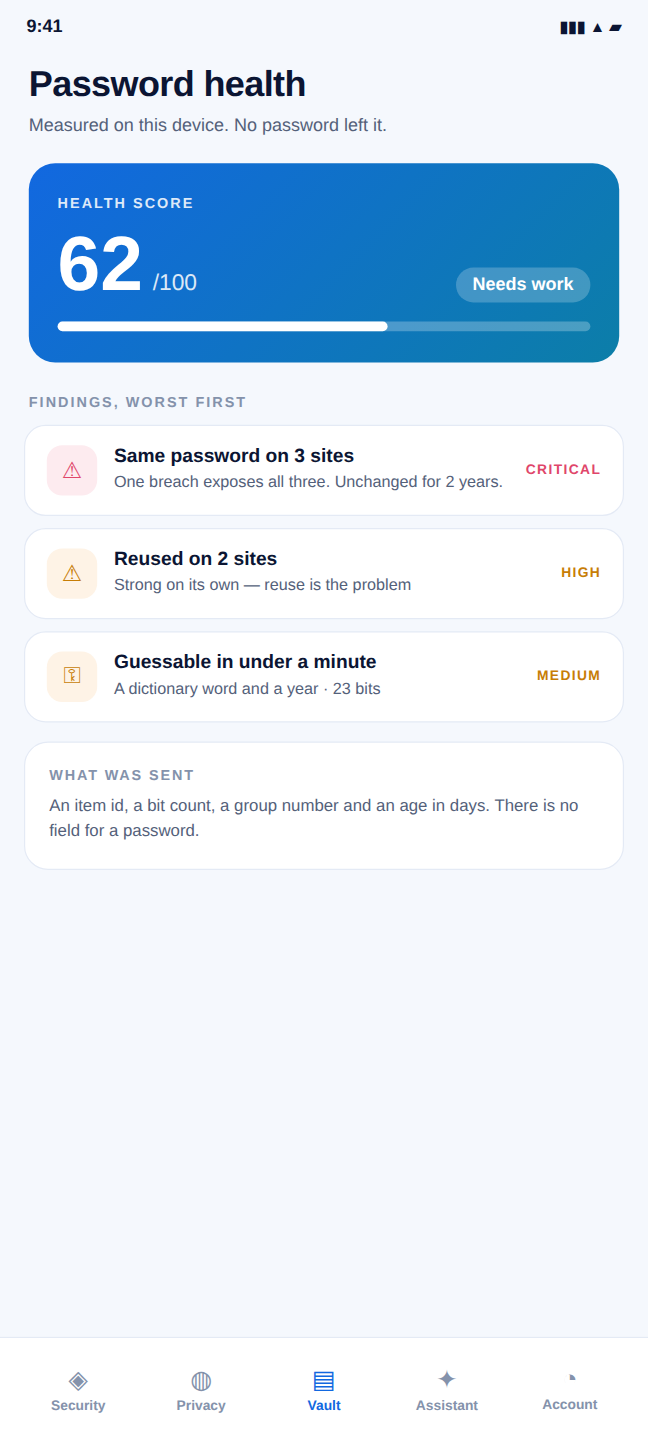
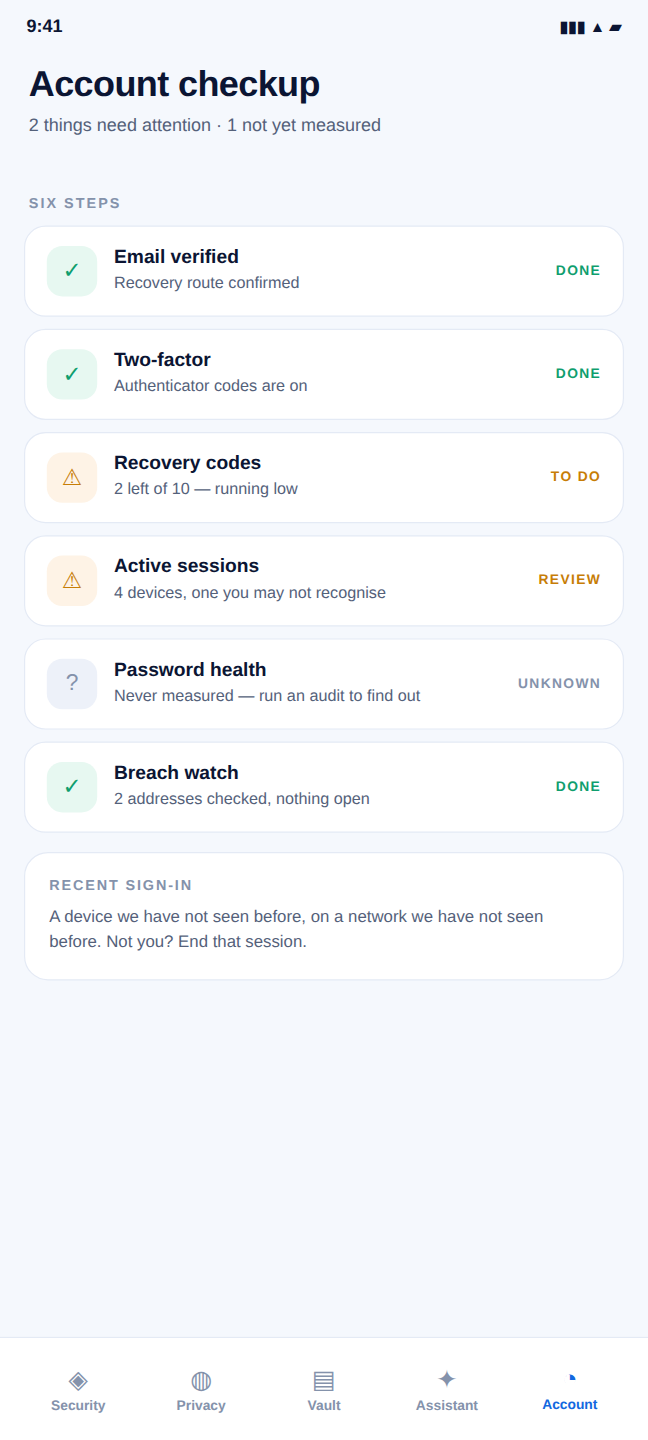
Not a mockup
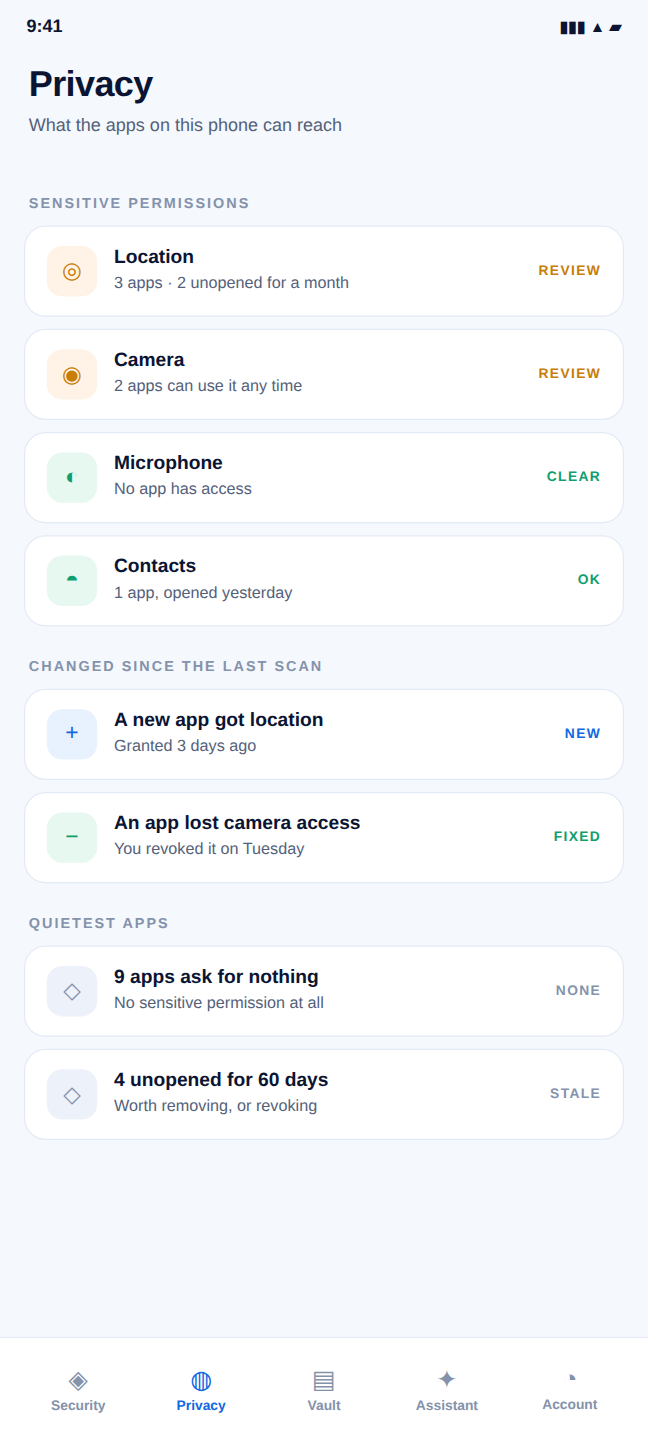
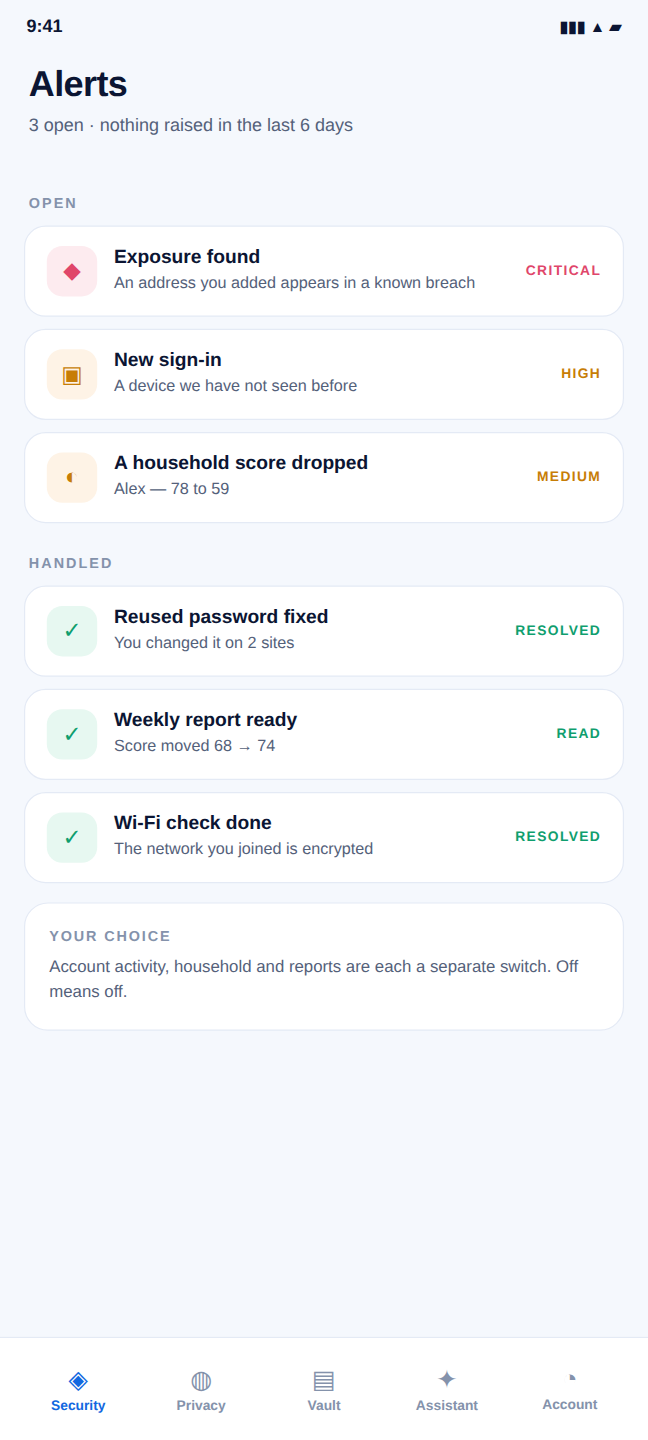
Screenshots from NexGuard running on Android. Everything else on this site is drawn — these are not.
Every tool, one system
Every tool, what it does, everything inside it, and how it looks in the app — nothing hidden behind a tab.
One deterministic number for your device — with a short, ranked list of fixes.
A guided device-posture checklist that opens the exact Android setting to fix.
See exactly what your apps can reach — and shut it off in a tap.
Encrypted storage for your most private notes, photos and files.
Your usage, your habits and your own limits — all of it on this device.
Every app from your last scan, ranked by what it can actually reach.
Told once, clearly, about the things that actually changed.
Guard your account with authenticator codes and one-time recovery keys.
TOTP codes for your other accounts, generated on this phone.
Lock NexGuard itself, and find what your device offers for the rest.
A quick, readable check on the network you’re on.
Logins encrypted on your phone, filled into other apps behind a fingerprint.
Finds the weak and reused ones without a password ever leaving the phone.
Six steps, with “unknown” shown as unknown rather than guessed.
Plain-language help that explains a verdict — it never invents one.
See every signed-in device and sign out anywhere with a tap.
Built and waiting on a breach data source — it reports “not checked”, never a guess.
Where your score started, where it finished, and what moved between.
A shared view of your household — private by design.
Side by side
All 19 tools, what each one does, and the plans they’re on. Everything here ships in the app today.
| Tool | What it does | Category | Inside | Plans |
|---|---|---|---|---|
| Security Score | One deterministic number for your device — with a short, ranked list of fixes. | Security | 4 | Free · Pro · Family |
| SafeMode | A guided device-posture checklist that opens the exact Android setting to fix. | Security | 4 | Free · Pro · Family |
| Privacy Report | See exactly what your apps can reach — and shut it off in a tap. | Privacy | 4 | Free · Pro · Family |
| Vault | Encrypted storage for your most private notes, photos and files. | Private data | 4 | Free · Pro · Family |
| Screen Time | Your usage, your habits and your own limits — all of it on this device. | Digital wellbeing | 4 | Free · Pro · Family |
| Apps | Every app from your last scan, ranked by what it can actually reach. | Security | 5 | Pro · Family |
| Alerts | Told once, clearly, about the things that actually changed. | Guidance | 5 | Pro · Family |
| Two-factor (2FA) | Guard your account with authenticator codes and one-time recovery keys. | Account | 3 | Free · Pro · Family |
| Authenticator | TOTP codes for your other accounts, generated on this phone. | Account | 5 | Pro · Family |
| App Lock | Lock NexGuard itself, and find what your device offers for the rest. | Account | 4 | Free · Pro · Family |
| Wi-Fi Safety | A quick, readable check on the network you’re on. | Security | 3 | Free · Pro · Family |
| Password Manager | Logins encrypted on your phone, filled into other apps behind a fingerprint. | Private data | 4 | Free · Pro · Family |
| Password Health | Finds the weak and reused ones without a password ever leaving the phone. | Private data | 5 | Free · Pro · Family |
| Account Checkup | Six steps, with “unknown” shown as unknown rather than guessed. | Account | 4 | Free · Pro · Family |
| AI Assistant | Plain-language help that explains a verdict — it never invents one. | Guidance | 4 | Pro · Family |
| Secure Sessions | See every signed-in device and sign out anywhere with a tap. | Account | 4 | Free · Pro · Family |
| Breach exposure checks | Built and waiting on a breach data source — it reports “not checked”, never a guess. | Guidance | 4 | In development |
| Reports | Where your score started, where it finished, and what moved between. | Guidance | 4 | Pro · Family |
| Family Dashboard | A shared view of your household — private by design. | Private data | 3 | Family |
Using the tools
How the tools are licensed, set up and permissioned. For billing, eligibility and the rest, see the full FAQ.
Get early access
Get NexGuard free and switch on the tools that matter to you — no card to start, upgrade only if you want higher limits and the advanced engines.